How to Secure Your Smart Home from Cyber Threats in 2025: In the year 2025, smart homes have become a staple of modern living, transforming the way we interact with our living spaces. From voice-activated assistants that control lighting and temperature to smart locks that secure our doors with a tap on our smartphones, the convenience of interconnected devices is undeniable.
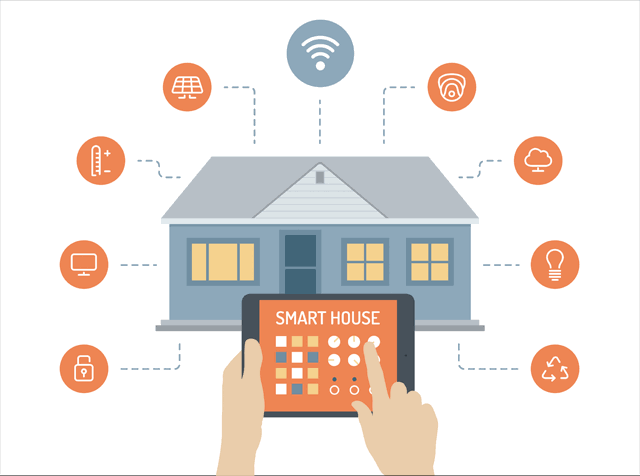
However, this interconnectedness comes with a hidden cost: an expanded attack surface for cybercriminals. As the Internet of Things (IoT) continues to proliferate, with an estimated 80% of IoT devices vulnerable to attacks, securing your smart home from cyber threats has never been more critical.
The Growing Threat Landscape
Smart homes integrate a myriad of devices thermostats, cameras, doorbells, refrigerators, and even light bulbs each connected to the internet. While these devices enhance convenience, they also introduce vulnerabilities. Research from Kaspersky in 2021 reported over 1.5 billion cyberattacks on smart devices in just six months, a number that has only grown as smart home adoption accelerates. Common threats include:
- Hacking: Cybercriminals exploit weak passwords or unpatched software to gain unauthorized access to devices like smart cameras or locks.
- Malware and Ransomware: Malicious software can lock you out of your devices or render them dysfunctional, as seen in cases where smart locks have been targeted.
- Phishing: Hackers impersonate trusted entities, such as device manufacturers, to trick users into revealing login credentials.
- DDoS Attacks: Compromised devices can be enlisted into botnets, as demonstrated by the infamous Mirai botnet attack, which disrupted internet access across the U.S. East Coast.
- Man-in-the-Middle Attacks: Attackers intercept communications between devices, potentially accessing sensitive data like login credentials or video feeds.
- Wi-Fi Spoofing: Fake Wi-Fi networks trick users into connecting, allowing hackers to intercept data or control devices.
These threats exploit vulnerabilities such as weak default passwords, outdated firmware, and insecure Wi-Fi networks. The consequences can range from privacy breaches such as hackers accessing smart camera feeds to physical security risks, like unauthorized access to smart locks.
How to Secure Your Smart Home from Cyber Threats in 2025
Securing your smart home requires a multi-layered approach that addresses both device and network vulnerabilities. Below are actionable steps to safeguard your connected home in 2025.
1. Secure Your Wi-Fi Network
Your Wi-Fi router is the gateway to your smart home, making it the first line of defense. A compromised router can expose every connected device to attackers.
- Change Default Credentials: Replace the default SSID and password with a strong, unique password (at least 12 characters, mixing letters, numbers, and symbols). Default credentials are easily accessible online, making them a prime target.
- Use WPA3 Encryption: If your router supports WPA3, enable it for the highest level of wireless security. If not, ensure WPA2 is active, as older protocols like WEP are highly vulnerable.
- Create a Guest Network: Isolate IoT devices on a separate guest network to prevent attackers from accessing sensitive devices like laptops or smartphones if a smart device is compromised.
- Enable a Firewall: Use a next-generation firewall (NGFW) with features like intrusion prevention and malware protection for enhanced security.
2. Strengthen Device Security
Each smart device is a potential entry point for hackers. Ensuring robust device security is paramount.
- Change Default Passwords: Many devices come with generic passwords like “admin.” Replace these with strong, unique passwords for each device.
- Enable Multi-Factor Authentication (MFA): Where available, activate MFA to add an extra layer of security, requiring a secondary verification method (e.g., a code sent to your phone).
- Disable Unnecessary Features: Turn off features like Universal Plug and Play (UPnP) or remote access unless absolutely needed, as they can be exploited by attackers.
- Regularly Update Firmware: Enable automatic updates or manually check manufacturer websites for firmware updates to patch known vulnerabilities. If a device no longer receives updates, consider replacing it.
3. Prioritize Device Selection
Not all smart devices are created equal. Choosing secure devices from reputable manufacturers can significantly reduce risks.
- Research Manufacturers: Opt for brands like Samsung, Google, or Amazon, which typically prioritize security and provide regular updates. Check customer reviews and privacy policies to understand data handling practices.
- Look for the U.S. Cyber Trust Mark: In 2025, the U.S. Cyber Trust Mark, developed with input from NIST, indicates devices meeting high cybersecurity standards, such as strong authentication and encryption.
- Assess Necessity: Before purchasing, evaluate whether a device’s connectivity is essential. For example, a smart coffee maker may not need internet access, reducing your attack surface.
4. Monitor and Manage Your Network
Proactive monitoring can detect and mitigate threats before they escalate.
- Use Network Monitoring Tools: Tools like Kaspersky’s Smart Home Monitor can scan for weak settings or open ports, alerting you to potential vulnerabilities.
- Check for Suspicious Activity: Regularly review device logs and network traffic for anomalies, such as unexpected data transfers.
- Segment Your Network: Beyond guest networks, consider VLANs (Virtual Local Area Networks) to further isolate devices, limiting the spread of a breach.
READ ALSO: Must-Have Tech Gadgets for a Minimalist Lifestyle in 2025
5. Protect Against Phishing and Social Engineering
Human error is a leading cause of security breaches. Stay vigilant to avoid falling prey to phishing attacks.
- Be Cautious with Emails: Avoid clicking links or downloading attachments from unsolicited emails claiming to be from device manufacturers.
- Verify Sources: If contacted by “customer support,” verify their identity through official channels before sharing any information.
- Educate Household Members: Ensure everyone in your home understands the risks of sharing passwords or connecting to unknown Wi-Fi networks.
6. Enhance Physical Security
Cybersecurity isn’t just digital—physical access to devices can also pose risks.
- Secure Device Placement: Install devices like cameras or smart locks in locations that are difficult to tamper with physically.
- Use Additional Security Measures: Pair smart devices with physical locks or security cameras to deter tampering.
7. Stay Informed and Proactive
Cyber threats evolve rapidly, so ongoing vigilance is essential.
- Subscribe to Security Updates: Follow manufacturer and cybersecurity blogs for updates on new threats and patches.
- Conduct Regular Assessments: Every three to six months, review device settings, update passwords, and check for firmware updates.
- Use Security Software: Solutions like Kaspersky Premium or Norton 360 offer IoT-specific protections, including network monitoring and device scanning.
FAQs
How do I know if my smart home devices are vulnerable?
Check for default passwords, outdated firmware, or devices no longer supported by manufacturers. Use network monitoring tools to detect suspicious activity, and ensure your router uses WPA3 encryption.
Can hackers access my smart home devices remotely?
Yes, if devices are connected to the internet and have weak security, hackers can exploit vulnerabilities to access them remotely. Enable MFA, disable remote access when unnecessary, and keep firmware updated to mitigate this risk.
What should I do if I suspect a device has been hacked?
Disconnect the device from the internet immediately, reset it to factory settings, update its firmware, and change all passwords. Scan your network for other compromised devices and consider professional assistance if needed.
Are smart locks safe to use in 2025?
Smart locks can be safe if they use strong encryption, MFA, and regular updates. Choose locks from reputable brands, conduct vulnerability assessments, and avoid sharing access codes with untrusted individuals.
How can I protect my smart home on a budget?
Focus on free or low-cost measures: change default passwords, use WPA3 encryption, create a guest network, and enable automatic updates. Research devices thoroughly before buying to avoid low-quality, insecure products.
What is the U.S. Cyber Trust Mark, and why does it matter?
The U.S. Cyber Trust Mark is a label indicating that a device meets stringent cybersecurity standards, such as strong authentication and encryption. It helps consumers choose secure devices, reducing the risk of cyberattacks.