How to Protect Your Gadgets from Cyberattacks in 2025: In 2025, our reliance on technology has woven gadgets into the fabric of daily life, from smartphones and laptops to smart home devices like thermostats and security cameras. This interconnected world, fueled by the Internet of Things (IoT) and emerging technologies like AI and 6G, offers unprecedented convenience but also exposes us to sophisticated cyberattacks.
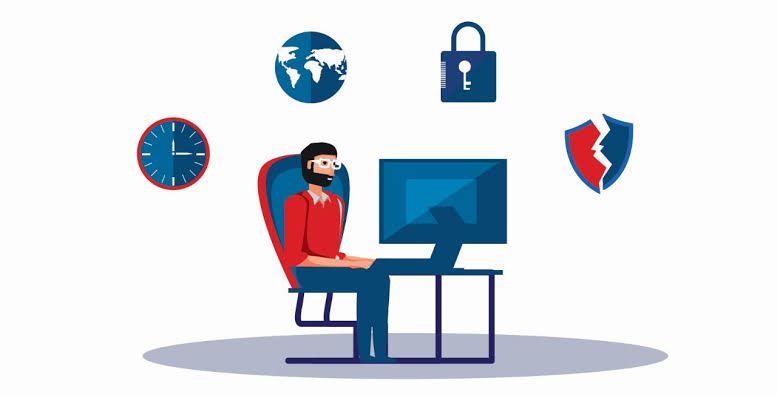
Cybercriminals exploit vulnerabilities in devices, networks, and human behavior, making proactive protection essential. The global cost of cybercrime is projected to reach $10.5 trillion annually by 2025, with Nigeria alone losing $500 million yearly to cybercrime.
The Evolving Threat Landscape
Cyberattacks in 2025 are more complex than ever. Ransomware, phishing, and AI-driven scams target individuals and businesses alike. IoT devices, often lacking robust security, are prime targets, with 70% of devices studied in 2014 showing major vulnerabilities, a trend that persists. Mobile devices face rising threats, with Nigeria reporting 16.7 million cyberattacks between January and June 2021 alone. Human error remains a weak link, contributing to over 60% of data breaches through mistakes or social engineering. Protecting your gadgets requires a blend of technical measures, behavioral changes, and awareness.
Key Strategies to Secure Your Gadgets
1. Use Strong, Unique Passwords and Multi-Factor Authentication (MFA)
Weak or reused passwords are a leading cause of breaches. Create complex passwords with a mix of uppercase and lowercase letters, numbers, and symbols. Avoid easily guessable information like birthdays. Password managers like Keeper can generate, store, and autofill strong passwords across devices, using biometric authentication for convenience. Enable MFA, which requires two or more verification methods (e.g., a password and a one-time code sent via SMS or email), adding an extra layer of security. For example, enabling MFA on your email or banking apps ensures that even if a hacker obtains your password, they cannot access your account without the second factor.
2. Keep Software and Devices Updated
Cybercriminals exploit outdated software with known vulnerabilities. Enable automatic updates for operating systems, apps, and firmware, especially for IoT devices like routers and smart appliances. Regular updates patch security flaws, making it harder for attackers to gain access. For instance, a 2024 warning from Nigeria’s National Information Technology Development Agency highlighted risks to Apple devices running outdated systems. Check for updates monthly and ensure your router, often the gateway to your network, is running the latest firmware.
3. Install Reliable Antivirus and Anti-Malware Software
Antivirus software is a critical defense, scanning for and removing malware, ransomware, and phishing threats. Choose reputable software, free or paid, and keep it updated. Many programs include firewalls and browser protection for added security. Always scan external devices like USB drives before accessing their contents, as cybercriminals can use them to deliver malware. For example, plugging in a random USB drive found in a public place could infect your device with malicious code.
4. Secure Your Network Connections
Public Wi-Fi and Bluetooth connections are vulnerable to attacks. Avoid connecting to untrusted Wi-Fi networks, and turn off Bluetooth when not in use to prevent unauthorized access. Use a reputable Virtual Private Network (VPN) like NordVPN or Surfshark to encrypt your internet traffic, especially on public networks. For home networks, change default router passwords and use strong encryption protocols like WPA3. Regularly monitor connected devices to detect unfamiliar ones, which could indicate a breach.
5. Enable Privacy Settings and Device Encryption
Every gadget has privacy control settings to limit data exposure. Review app permissions to restrict access to sensitive data like location or contacts. Enable device encryption to protect data if your device is lost or stolen. Features like “Find My Device” on Apple and Android devices help locate or remotely wipe lost gadgets. For sensitive documents, use encryption before sharing via email, and avoid sending passwords through the same channel.
6. Back Up Your Data Regularly
Backups are your safety net against ransomware and data loss. Create encrypted backups of critical data like photos, documents, and videos using cloud services or external drives. Schedule automatic backups weekly and test restoration processes to ensure reliability. For example, if ransomware encrypts your files, a recent backup allows you to restore data without paying the ransom. Store backups securely, preferably offline, to prevent them from being compromised.
7. Be Cautious with Downloads and External Devices
Avoid downloading files or apps from untrusted sources, as they may contain malware. Stick to official app stores like Google Play or Apple’s App Store, and verify app developers before installing. Scrutinize email attachments, even from known contacts, as phishing emails often disguise malware as legitimate files. For external devices, purchase from reputable vendors and avoid using found USB drives, which could be infected.
8. Educate Yourself and Your Family
Cybersecurity is a shared responsibility. Educate household members, especially children, about safe online practices. Teach them to recognize phishing emails, avoid sharing personal information, and use privacy settings. For children’s devices, enable parental controls and monitor app permissions to ensure a safe digital experience. Regular family discussions about emerging threats, like AI-generated scams, can build a culture of vigilance.
READ ALSO: How Artificial Intelligence is Impacting the Legal Industry
Emerging Threats to Watch in 2025
AI-powered scams, such as deepfake phishing, and quantum computing risks are on the rise. While quantum computers capable of breaking encryption like RSA may not arrive until 2055–2060, “store now, decrypt later” attacks are a concern. Stay informed about new scam tactics and incorporate them into your security practices. For instance, train yourself to spot subtle cues in emails or calls that may indicate AI manipulation.
FAQs
What is the most common cyberattack targeting gadgets in 2025?
Phishing remains the most common, often using AI-generated emails or texts to trick users into revealing credentials or downloading malware. Over 60% of data breaches involve human error, such as clicking suspicious links. Always verify the sender before interacting with links or attachments.
How can I protect my IoT devices like smart cameras or thermostats?
Change default passwords, update firmware regularly, and isolate IoT devices on a separate network to limit access if compromised. Disable unused features like remote access when not needed.
Why is MFA important, and how do I enable it?
MFA adds a second verification step, making it harder for hackers to access accounts even with a stolen password. Enable it in the security settings of apps like email or banking, choosing options like SMS codes or authenticator apps.
What should I do if my device is infected with malware?
Disconnect the device from the internet, run an antivirus scan, and restore from a clean backup if needed. Avoid paying ransomware demands, as it doesn’t guarantee data recovery. Contact a professional if unsure.
How often should I back up my data?
Weekly backups are ideal for critical data. Use encrypted cloud services or external drives and test backups periodically to ensure they work.
Are free antivirus programs effective?
Reputable free antivirus programs can be effective if kept updated, but paid versions often offer advanced features like real-time protection and firewalls. Choose based on your needs and ensure regular updates.